OneHQ | Work & Communication Hub
A persistent workbar + Speed Work mode with explicit ownership and preview to reduce tab hopping and send faster
Cut context switching. Ship faster.
Role
Product Designer (IC)
Product Designer (IC)
Time
6 month
6 month
Platform
Web App
Web App
Team
PM, 2 Engineers, PD(me)
PM, 2 Engineers, PD(me)
Constraints
Maintain layout familiarity, low‑risk incremental rollout, support power users with heavy client load
Maintain layout familiarity, low‑risk incremental rollout, support power users with heavy client load
Scope
End‑to‑end product design (discovery → delivery)
End‑to‑end product design (discovery → delivery)
TL;DR
Power users can execute work without leaving the thread: fewer tab hops and less re‑configuration.
Ownership and communication surface directly in dialogs → fewer “who’s sending this?” pings.
Speed Work mode enables high‑confidence, low‑friction actions for expert workflows.
Problem
Power users handling multiple clients lost time switching contexts, chasing task ownership, and re‑configuring workflows. There wasn’t a single, efficient place to manage communication steps and create tasks on the fly.
Goals
A single workbar anchors key actions and tools. Users keep focus while preparing and launching communications.
Campaign + template selection lets users configure once, use many.
Zap icon toggles Speed Work → a minimal‑tracking mode for expert speed runs.
“From” ownership is explicit, reducing ambiguity and handoffs.
Output preview builds trust before send
Solution at a Glance
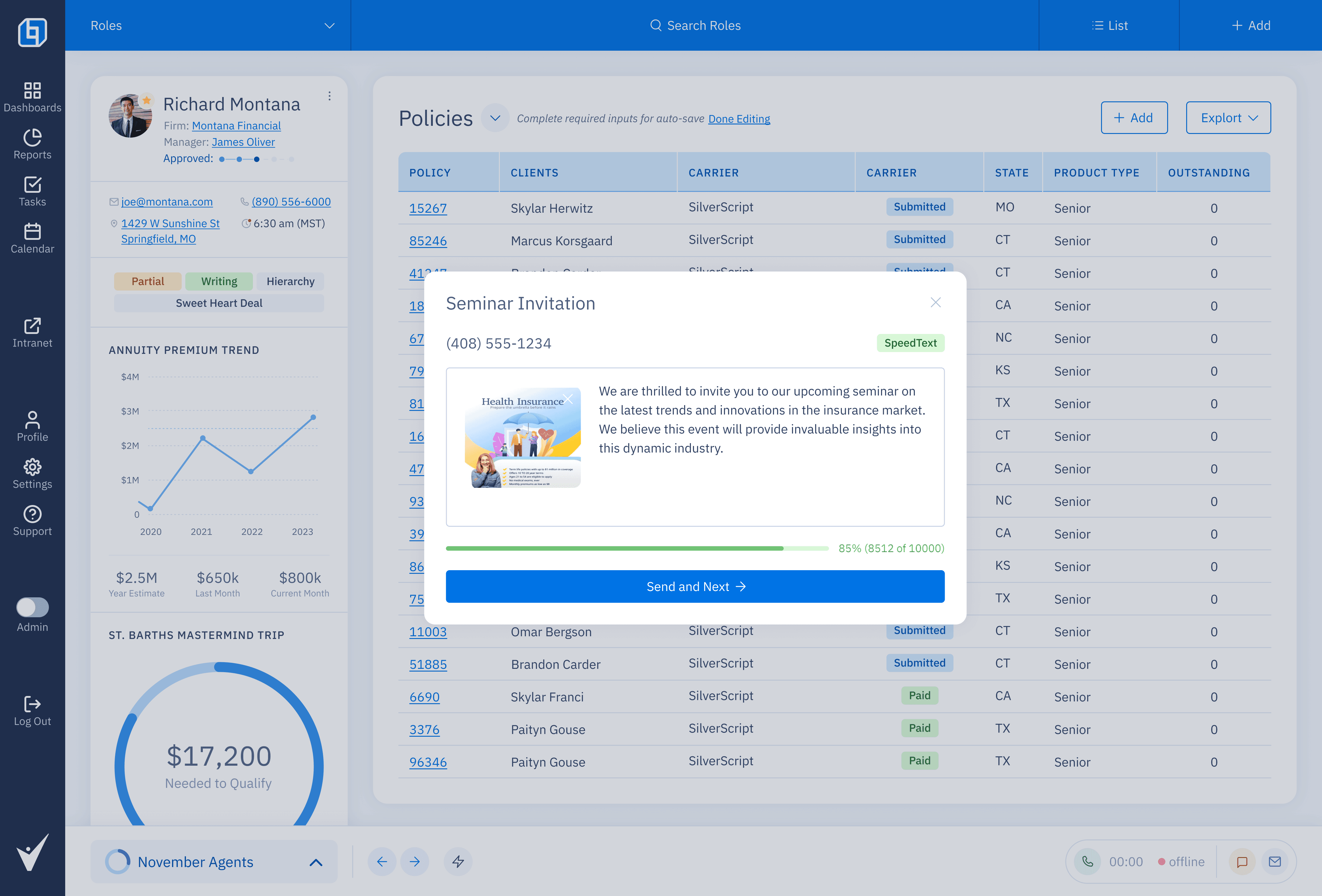
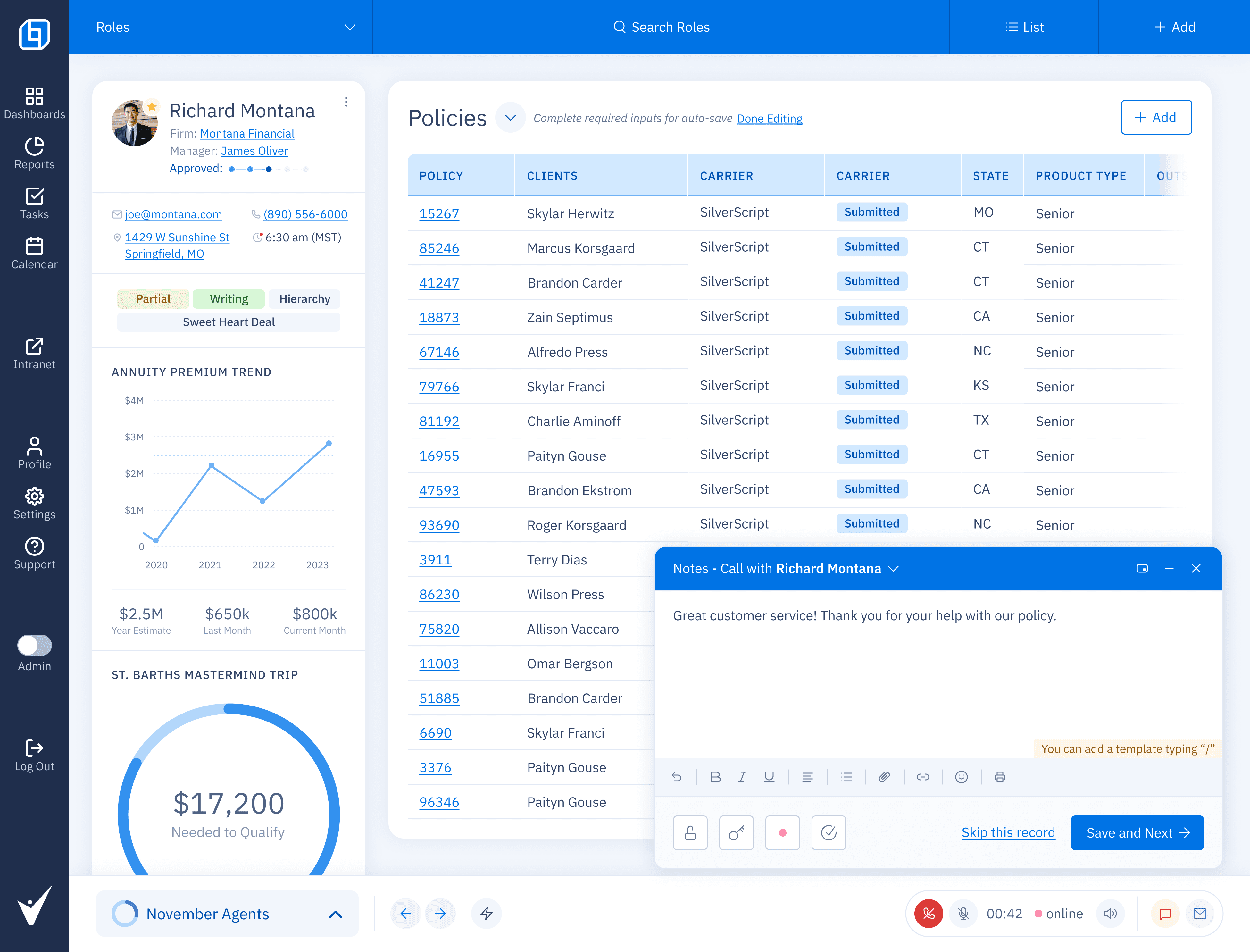
1) A Smarter Workbar
The workbar houses essential actions and contextual tools. It’s persistent, scannable, and keeps users in one place when preparing or launching work.
Design notes: sticky placement, minimal chrome, keyboard affordances, safe defaults.
Before: Actions scattered across modals and menus; required tab switching.
After: One anchored surface combines configuration, preview, and launch.
2) Customizable Workflows
A toggle for experts who don’t need granular progress tracking. Minimal UI, pre‑filled fields, immediate feedback.
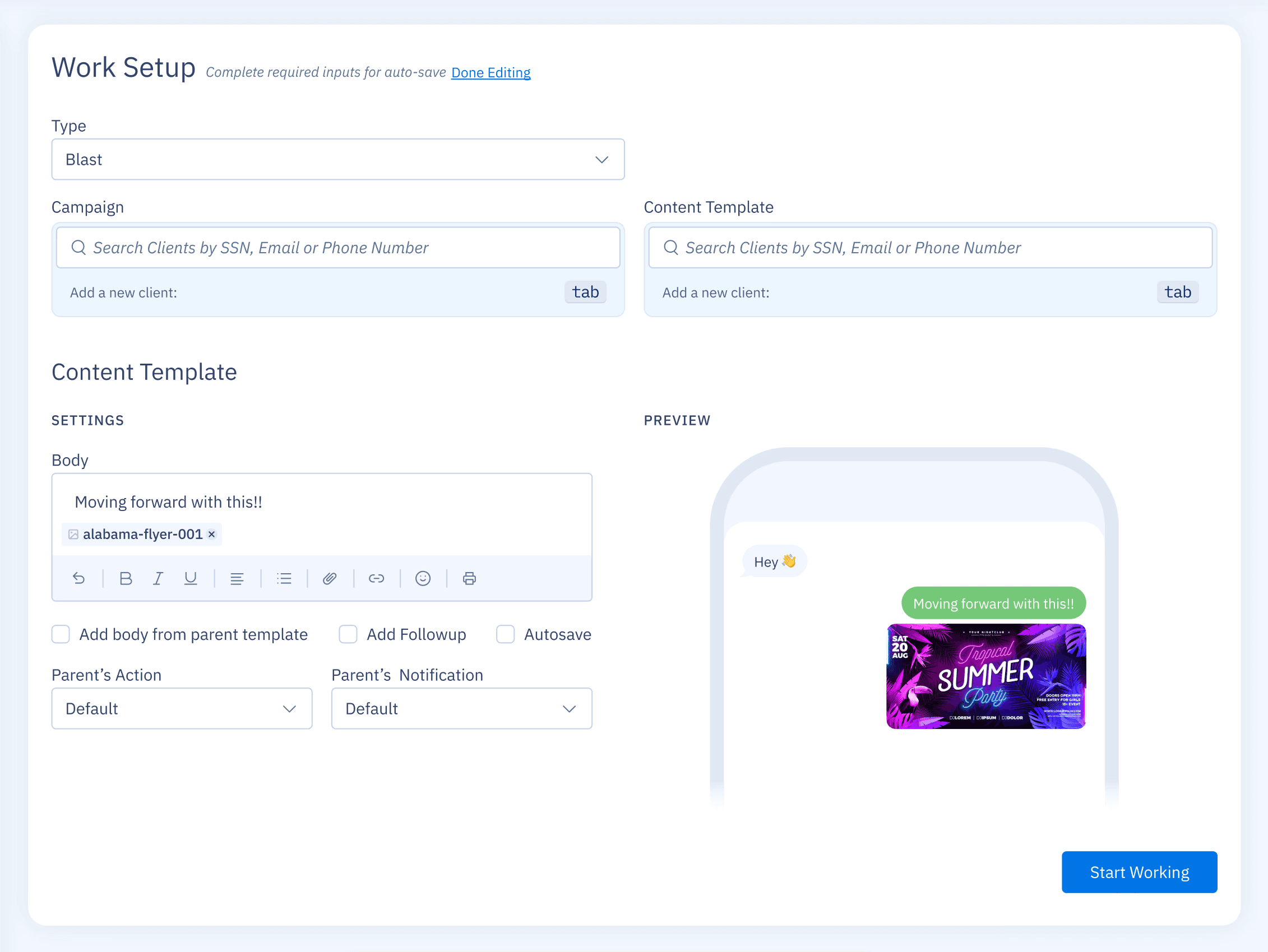
Design notes: optimistic UI, reversible actions, inline confirmations.
3) Speed Work Mode (Zap)
A toggle for experts who don’t need granular progress tracking. Minimal UI, pre‑filled fields, immediate feedback.
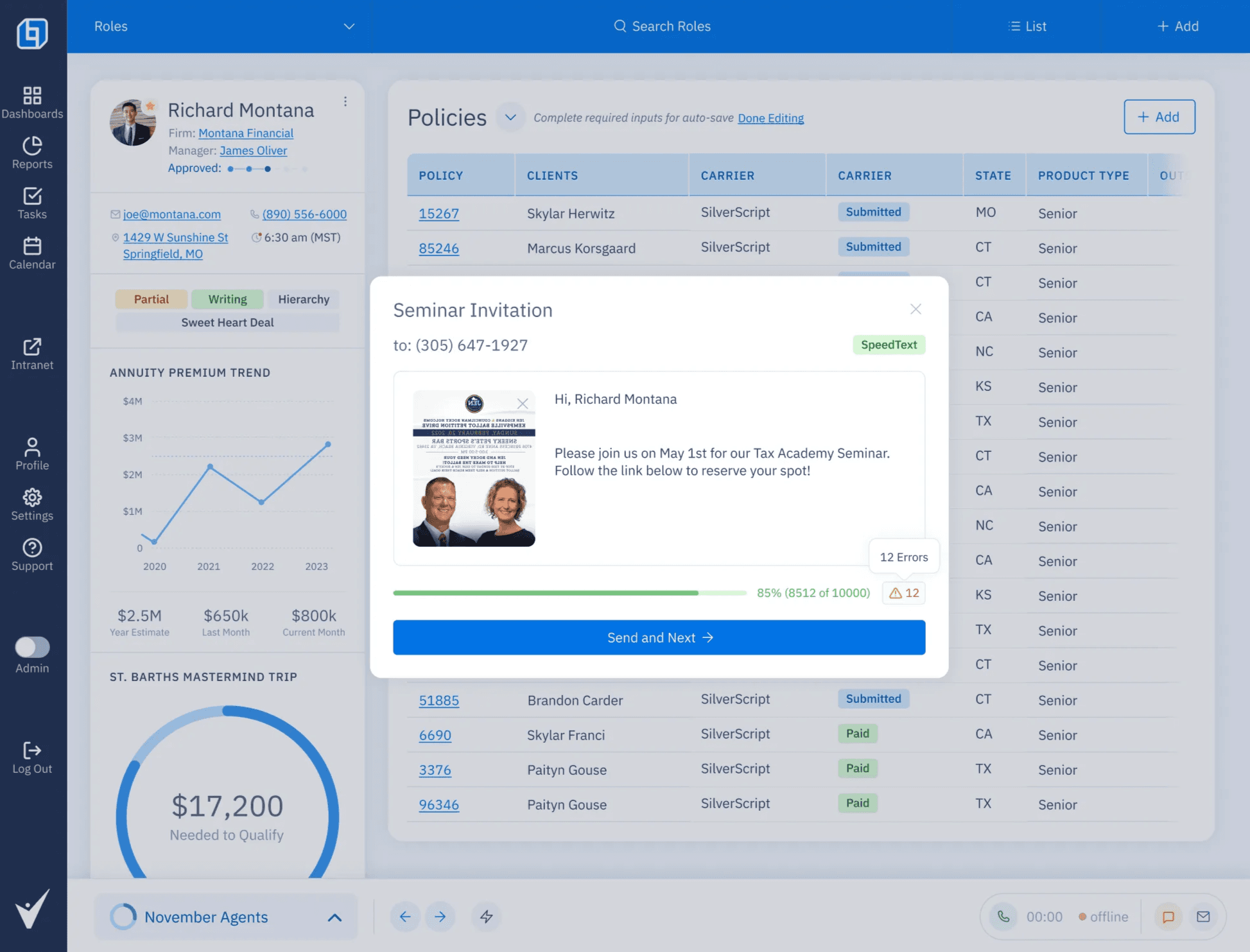
Design notes: optimistic UI, reversible actions, inline confirmations.
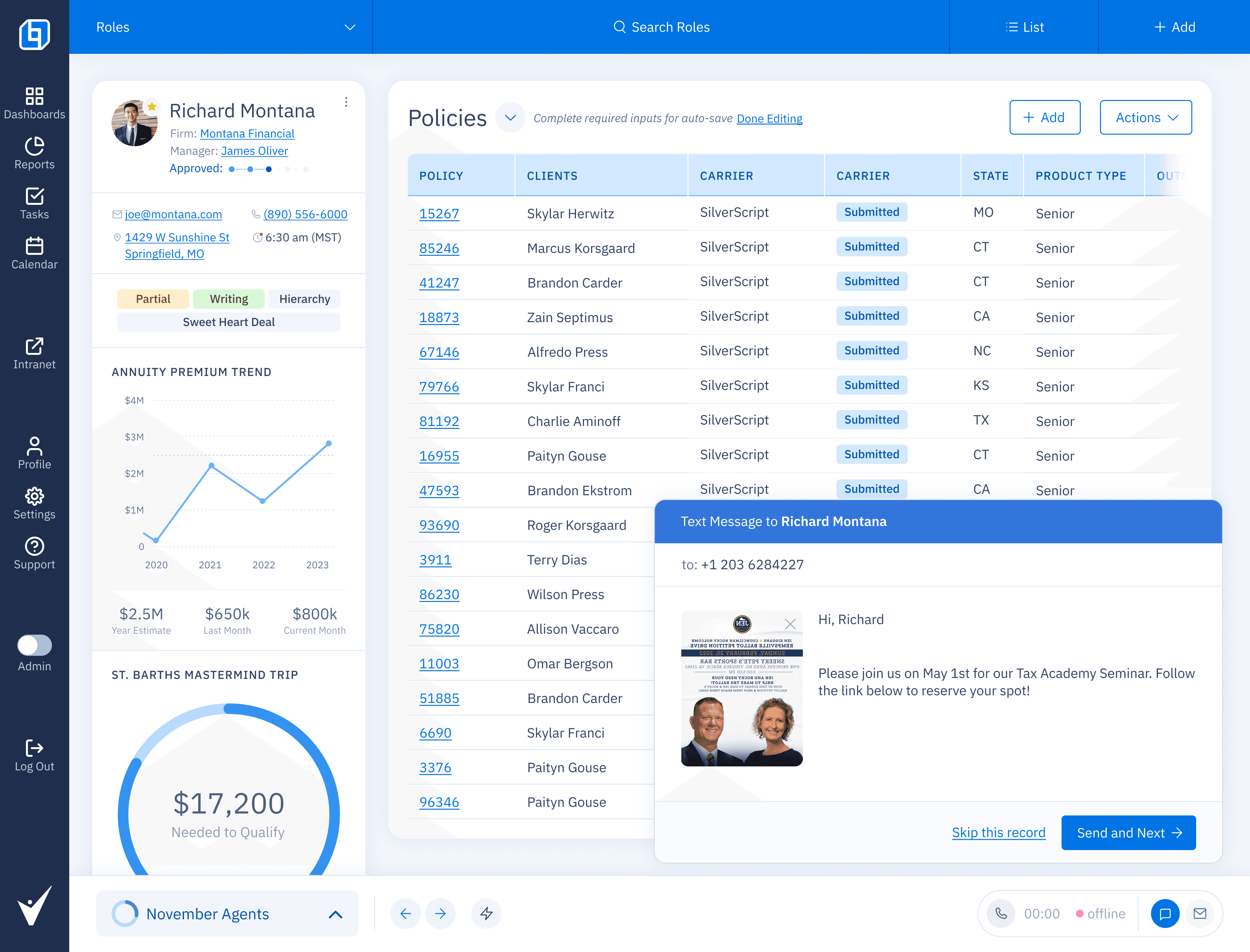
4) Ownership & Communication
Dialogs expose From (who sends) and key metadata if necessary. The sender is obvious; coordination pings drop.
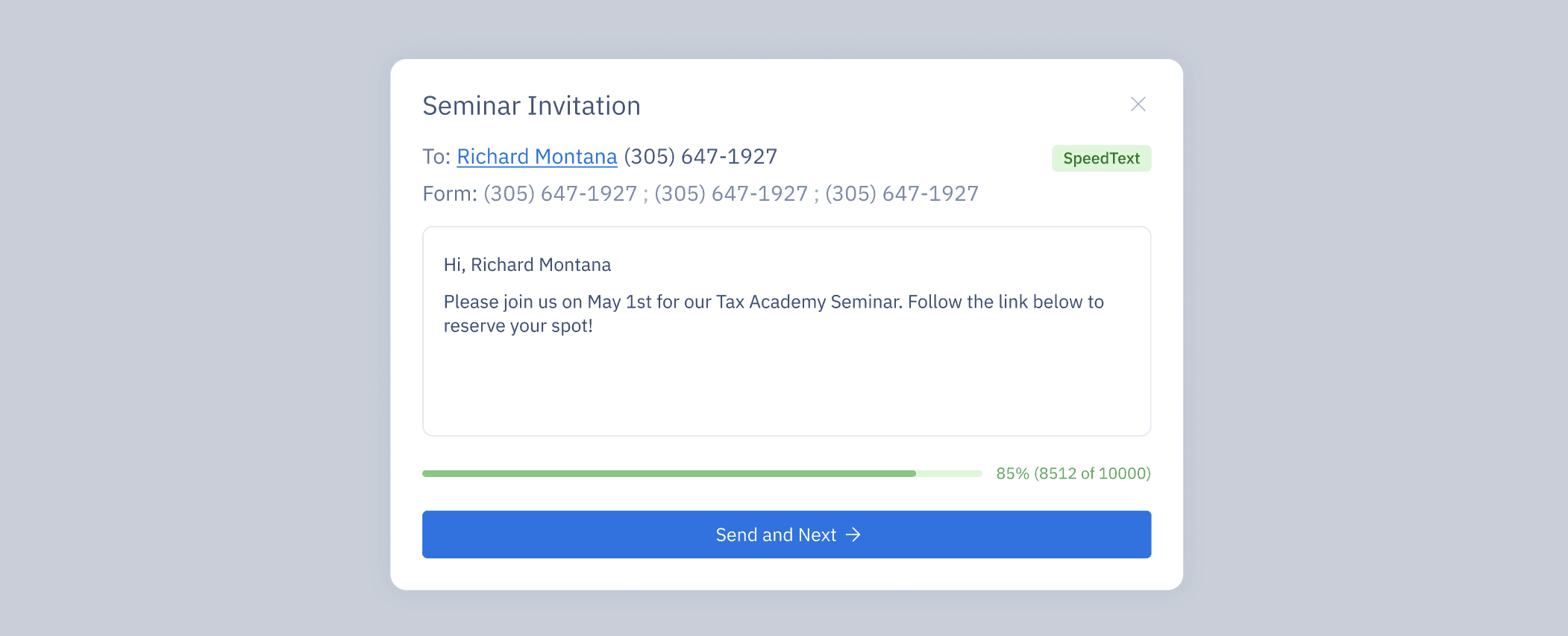
Design notes: identity pill, role badge, send‑as permissions.
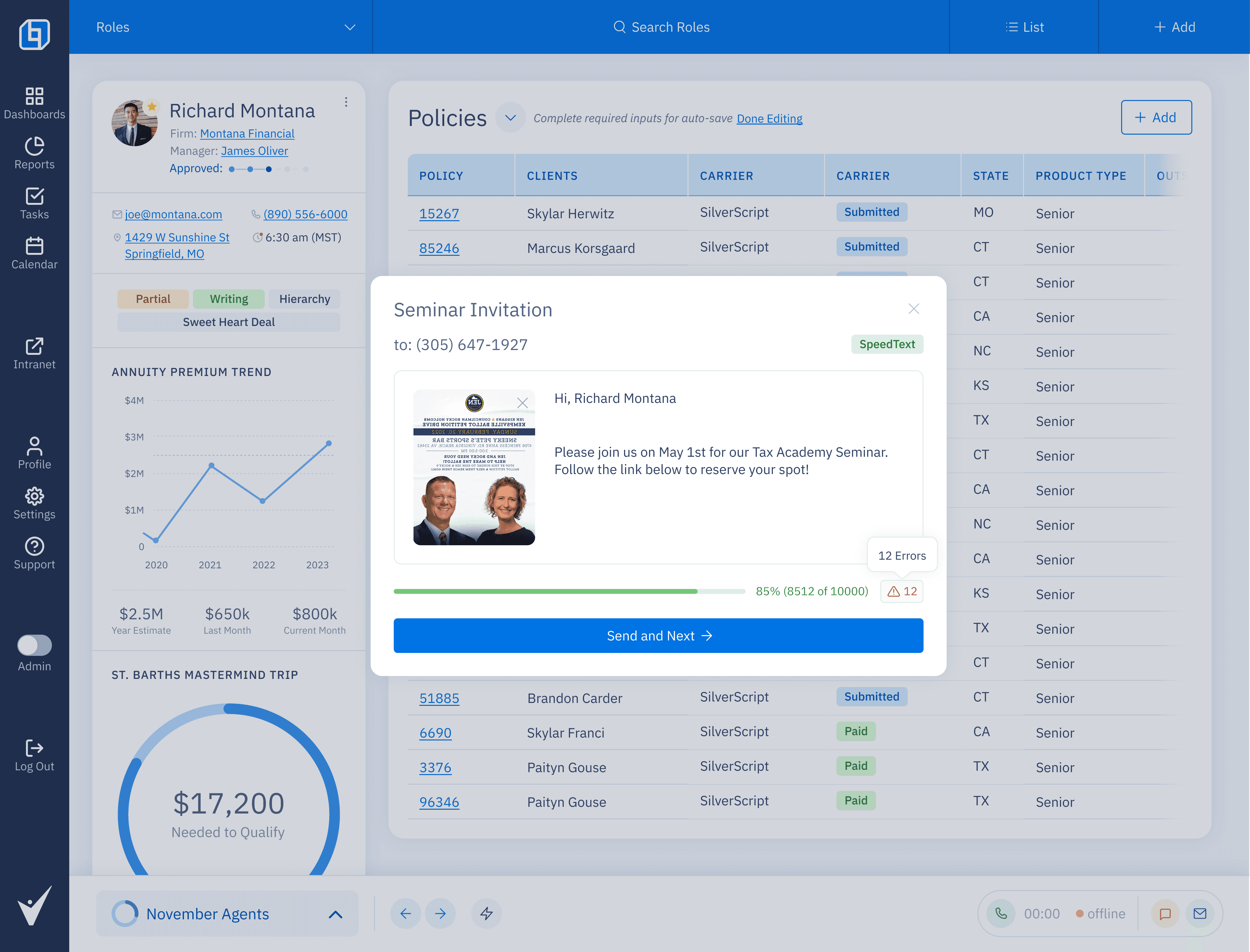
5) Preview & Confidence
Built‑in preview makes outcomes legible and catches mistakes before send.
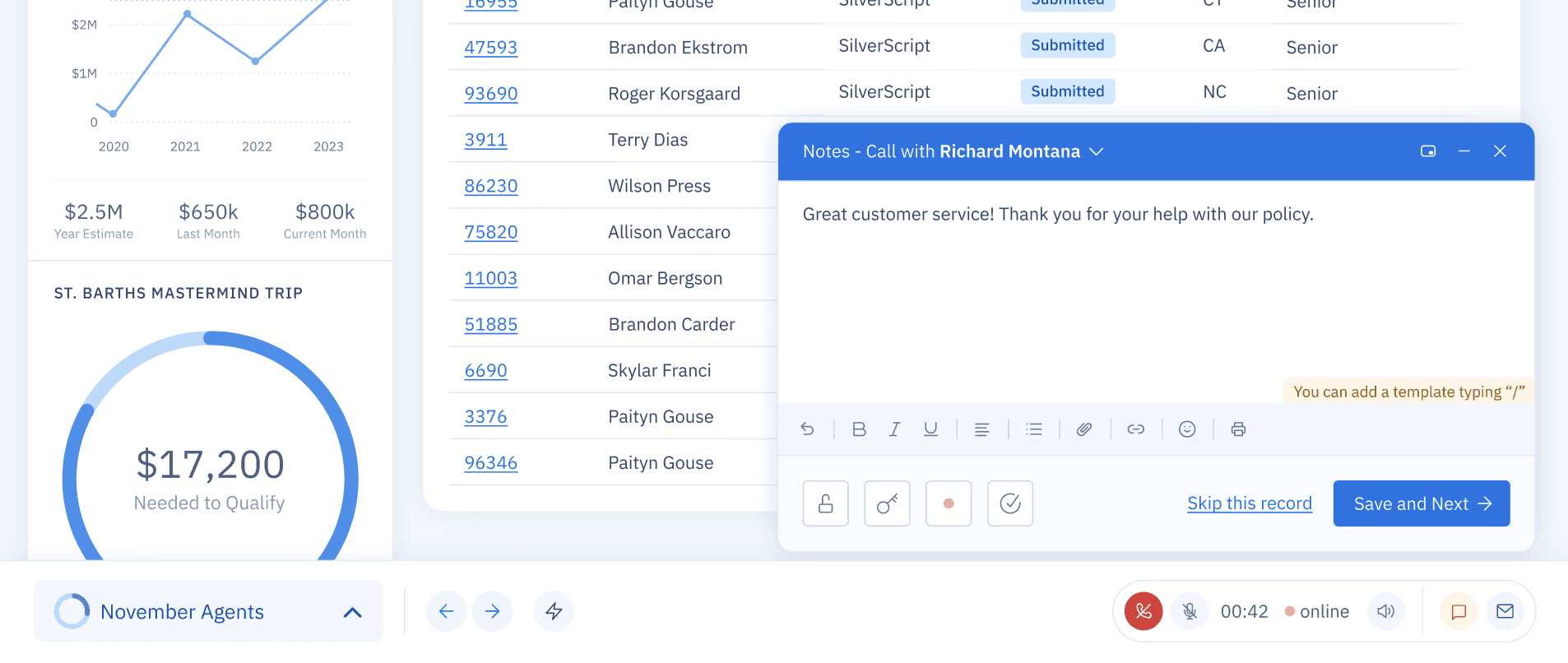
Design notes: diff for template variables, error highlights, final summary.
How We Got There (Process)
Field observation & ticket mining: Collected pain points: context switching, unclear ownership, template drift.
Experience map: Mapped comms flows and where users leave the surface.
Prototype tests (click‑through): Validated workbar persistence; observed faster setup in expert tasks.
Rollout plan: Progressive enhancement → no navigation redesign, local improvements first.
Design principles:
Stay in flow. Keep users on a single surface.
Decide once, reuse often. Encourage template/campaign reuse.
Make ownership explicit. Sender clarity beats after‑the‑fact pings.
Key Decisions & Trade‑offs
Persist the workbar vs. new page: chose persistence to preserve orientation and speed; avoided heavy nav changes.
Expose “From” even if it adds UI density: clarity eliminated downstream confusion.
Speed Work as a toggle: serves experts without penalizing novices.
Interaction Highlights
TL;DR
Power users can execute work without leaving the thread: fewer tab hops and less re‑configuration.
Ownership and communication surface directly in dialogs → fewer “who’s sending this?” pings.
Speed Work mode enables high‑confidence, low‑friction actions for expert workflows.
Problem
Power users handling multiple clients lost time switching contexts, chasing task ownership, and re‑configuring workflows. There wasn’t a single, efficient place to manage communication steps and create tasks on the fly.
Goals
A single workbar anchors key actions and tools. Users keep focus while preparing and launching communications.
Campaign + template selection lets users configure once, use many.
Zap icon toggles Speed Work → a minimal‑tracking mode for expert speed runs.
“From” ownership is explicit, reducing ambiguity and handoffs.
Output preview builds trust before send
Solution at a Glance
1) A Smarter Workbar
The workbar houses essential actions and contextual tools. It’s persistent, scannable, and keeps users in one place when preparing or launching work.
Design notes: sticky placement, minimal chrome, keyboard affordances, safe defaults.
Before: Actions scattered across modals and menus; required tab switching.
After: One anchored surface combines configuration, preview, and launch.
2) Customizable Workflows
A toggle for experts who don’t need granular progress tracking. Minimal UI, pre‑filled fields, immediate feedback.
Design notes: optimistic UI, reversible actions, inline confirmations.
3) Speed Work Mode (Zap)
A toggle for experts who don’t need granular progress tracking. Minimal UI, pre‑filled fields, immediate feedback.
Design notes: optimistic UI, reversible actions, inline confirmations.
4) Ownership & Communication
Dialogs expose From (who sends) and key metadata if necessary. The sender is obvious; coordination pings drop.
Design notes: identity pill, role badge, send‑as permissions.
5) Preview & Confidence
Built‑in preview makes outcomes legible and catches mistakes before send.
Design notes: diff for template variables, error highlights, final summary.
How We Got There (Process)
Field observation & ticket mining: Collected pain points: context switching, unclear ownership, template drift.
Experience map: Mapped comms flows and where users leave the surface.
Prototype tests (click‑through): Validated workbar persistence; observed faster setup in expert tasks.
Rollout plan: Progressive enhancement → no navigation redesign, local improvements first.
Design principles:
Stay in flow. Keep users on a single surface.
Decide once, reuse often. Encourage template/campaign reuse.
Make ownership explicit. Sender clarity beats after‑the‑fact pings.
Key Decisions & Trade‑offs
Persist the workbar vs. new page: chose persistence to preserve orientation and speed; avoided heavy nav changes.
Expose “From” even if it adds UI density: clarity eliminated downstream confusion.
Speed Work as a toggle: serves experts without penalizing novices.
Interaction Highlights
Accessibility & Quality
Keyboard path from workbar to preview to launch (no traps).
Focus states and roles for all interactive elements.
Error messaging: plain language, actionable next step.
Minimum contrast 4.5:1 on critical CTAs.
Impact / What to Measure (and how to get it fast)
Time to send (first dialog open → send).
Query events: dialog_open, preview_open, send_click.Context switches per task (blur/focus or route changes during a flow).
Template reuse rate (sends with saved template / total sends).
Ownership clarifications (mentions “who sends” in comments or tickets).
Completion rate of multi‑step comms (open → send).
What I’d Do Next
Extend Speed Work presets to multichannel sends (email, SMS, in‑app).
Team‑level templates with guardrails.
Activity feed hooks so ownership & outcomes sync to CRM records.
My Contribution
Defined principles and success criteria.
Created Information Architecture for workbar + dialog enhancements.
Designed and Prototyped the whole new Bar and Speed Work (Zap) interactions and previews.
Partnered with engineering on a safe, incremental rollout.
Accessibility & Quality
Keyboard path from workbar to preview to launch (no traps).
Focus states and roles for all interactive elements.
Error messaging: plain language, actionable next step.
Minimum contrast 4.5:1 on critical CTAs.
Impact / What to Measure (and how to get it fast)
Time to send (first dialog open → send).
Query events: dialog_open, preview_open, send_click.Context switches per task (blur/focus or route changes during a flow).
Template reuse rate (sends with saved template / total sends).
Ownership clarifications (mentions “who sends” in comments or tickets).
Completion rate of multi‑step comms (open → send).
What I’d Do Next
Extend Speed Work presets to multichannel sends (email, SMS, in‑app).
Team‑level templates with guardrails.
Activity feed hooks so ownership & outcomes sync to CRM records.
My Contribution
Defined principles and success criteria.
Created Information Architecture for workbar + dialog enhancements.
Designed and Prototyped the whole new Bar and Speed Work (Zap) interactions and previews.
Partnered with engineering on a safe, incremental rollout.